
Quick answer: what table tent design size should you use?
If you want the short version before the specs: the safest table tent design size for a restaurant is 4″ x 6″ (finished panel size) for small bistro tables and bar tops, and 5″ x 7″ for larger dining tables or when you need to show a photo plus a price list. Both sit inside the natural sightline of a seated guest, and both are stocked as standard formats by almost every commercial printer, which keeps your cost and turnaround low.
That is the easy part. The reason table tent files get rejected or come back looking wrong is almost never the finished size. It is the flat size, the score lines, the bleed and the way artwork was placed on panels that end up upside down or hidden against the base. This guide walks through all of it so you can send a print-ready PDF the first time.

Standard table tent sizes (finished vs flat)
A table tent is printed flat, then scored and folded into a three-sided or four-sided shape. So every table tent has two dimensions you must know: the finished size (what the guest sees) and the flat size (what your design file must actually be).
| Finished panel size | Typical flat size | Metric (approx.) | Best used for |
|---|---|---|---|
| 4″ x 4″ | 4″ x 12.25″ | 10.2 x 10.2 cm | Crowded bar tops, one single message |
| 4″ x 6″ (most stocked) | 4″ x 16.25″ | 10.2 x 15.2 cm | Daily specials, drink promos, QR menus |
| 4.25″ x 6″ | 4.25″ x 16.25″ | 10.8 x 15.2 cm | Half-letter cut, cheap gang-run printing |
| 5″ x 7″ (most readable) | 5″ x 18.75″ | 12.7 x 17.8 cm | Photo-led upsells, cocktail lists, events |
| 5″ x 6.5″ | 5″ x 17.75″ | 12.7 x 16.5 cm | Slightly shorter option for low ceilings / patio wind |
| 4″ x 8″ (tall) | 4″ x 20.25″ | 10.2 x 20.3 cm | High-visibility hostess stands, tasting menus |
| 7″ x 5″ (landscape) | 7″ x 14.5″ | 17.8 x 12.7 cm | Wide photos, side-by-side combo offers |
Important: flat sizes vary by printer because the glue tab or interlocking die-cut tab is not always the same depth. Never guess. Download the printer’s template for the exact size you ordered and build your artwork inside it.
Table tent size in cm (for metric teams)
- 4″ x 6″ = 10.2 x 15.2 cm
- 5″ x 7″ = 12.7 x 17.8 cm
- A6 alternative = 10.5 x 14.8 cm
- A5 alternative = 14.8 x 21 cm (large, better for buffets and hotel restaurants than tight two-top tables)
Fold types: pick the shape before you design
The fold decides how many usable panels you get, and that changes your layout completely.
1. Four-panel interlocking tent (the standard)
Four equal panels plus a tab. Panels 1 and 3 become the two visible faces, panel 2 is the back of face 1, and the last panel folds under and locks with a die-cut slit. Ships flat, assembled by your staff in a few seconds.
- Usable print faces: 2 (sometimes 3 if you print the inside)
- Stability: very good, triangular base
- Watch out for: the second visible face must be rotated 180 degrees in your file, or it prints upside down
2. Two-panel A-frame (tent card)
A single sheet scored once in the middle and simply stood up like a tent. Cheapest option, no locking tab.
- Usable print faces: 2
- Stability: moderate, tips over on patios
- Best for: short promos, reserved signs, table numbers
3. Three-sided pyramid
Three panels folded into a triangular prism with a glue or tuck tab, giving three visible faces at once. Common specs are a 3.4″ pyramid, a 4.25″ pyramid and a 5″ pyramid (the number is the panel diagonal, and the base edge is wider than the diagonal).
- Usable print faces: 3
- Stability: excellent
- Best for: promoting three things at once (dessert, cocktail, loyalty app)
4. Acrylic holder insert (not folded at all)
If you already own acrylic table tent frames, you are printing a flat card, not a tent. Design a flat 4″ x 6″ or 5″ x 7″ double-sided card with no score lines, and keep the bottom 0.25″ clear of critical content because the holder base covers it.
Cardstock weight and finish specs
Table tents live in a war zone of condensation, sauce and toddlers. Paper choice matters more here than on a flyer.
| Stock | Equivalent | Verdict for table tents |
|---|---|---|
| 100 lb gloss cover | ~10 pt | Minimum acceptable. Curls within a week in humid rooms. |
| 14 pt C2S | ~130 lb cover | The sweet spot for cost vs rigidity. Industry default. |
| 16 pt C2S | ~150 lb cover | Best all-rounder for tents that stay out for a full season. |
| 18 pt to 24 pt | Ultra thick | Premium feel, but needs deeper scoring or it cracks at the fold. |
| Synthetic / polyester | 10 to 14 mil | Waterproof and wipeable. Worth it for patios and breakfast buffets. |
Coating
- Gloss UV or gloss lamination: wipes clean, makes food photography pop. Downside is glare under spotlights.
- Matte lamination: classier, no glare, still wipeable. Our default recommendation for full-service restaurants.
- Soft touch: lovely on a wine list, but shows fingerprints and grease fast.
- Uncoated: only if the tent is a one-week promo or you want a craft look. Stains permanently.
Bleed, safe zone and score line setup
This is where most files fail preflight. Build the document at the flat size, then add:
- Bleed: 0.125″ (3 mm) on all four sides. Total document size becomes flat size + 0.25″ in each direction. Any background colour, photo or pattern must extend all the way into the bleed.
- Safe zone / margin: 0.25″ (6 mm) inside the trim line. Nothing important (text, logos, prices, QR codes) crosses into that band.
- Score line clearance: 0.25″ to 0.375″ on each side of every fold. Text that sits on a score line will crack and look broken. Avoid running a face across a fold.
- Die-cut tab and slit area: leave it clean. No artwork, no text, and preferably no heavy ink coverage, because thick ink makes the tab harder to lock.
Colour, resolution and file format
- Work in CMYK, not RGB. Bright restaurant reds and oranges shift the most, so soft-proof them.
- All images at 300 DPI at final size. A phone photo enlarged to fill a 5″ panel at 120 DPI will look muddy on gloss stock.
- Keep rich black for large areas: C60 M40 Y40 K100. Use 100 % K only for small body text.
- Export a press-ready PDF (PDF/X-1a or PDF/X-4), single pages, fonts embedded or outlined, crop marks on, bleed included.
- If your printer wants the score positions marked, put them on a separate non-printing layer or a spot colour named “Score”, never as visible black lines.
Designing in Canva without breaking the fold
Canva is fine for table tents if you take two precautions. First, create a custom size equal to the flat size and enable “Crop marks and bleed” when you download as PDF Print. Second, draw temporary guide rectangles for each panel so you can see exactly where the folds land, then delete or hide them before export. Do not rely on a generic “table tent” Canva template unless its flat dimensions match the template your printer supplied. Custom Table Tents at GotPrint.com is a useful companion to this.

Panel layout: what to put on each face to drive upsells
A table tent has roughly three seconds of attention while a guest waits for the server. Treat each panel as a separate job rather than repeating the same message.
| Panel | Job | What works |
|---|---|---|
| Face A (main) | Sell one high-margin item | One hero photo, item name, a short benefit line, the price. Nothing else. |
| Face B (reverse) | Capture the second seat at the table | A different category: dessert if face A is a cocktail, or a shareable starter. |
| Third face (pyramid only) | Build repeat visits | Loyalty signup, QR to reviews, weekday event calendar. |
| Base / inside panel | Housekeeping | Wi-Fi password, allergen note, social handles, legal small print. |
Layout rules that actually move revenue
- One offer per face. Three competing promos on one panel means zero promos read.
- Headline at 28 to 40 pt on a 5″ x 7″, 22 to 30 pt on a 4″ x 6″. Body copy never below 9 pt.
- Put the price in, and make it the second thing seen. Hidden prices kill impulse orders.
- Photograph the item you want sold, lit warm, shot slightly above table height so the image matches the guest’s own viewing angle.
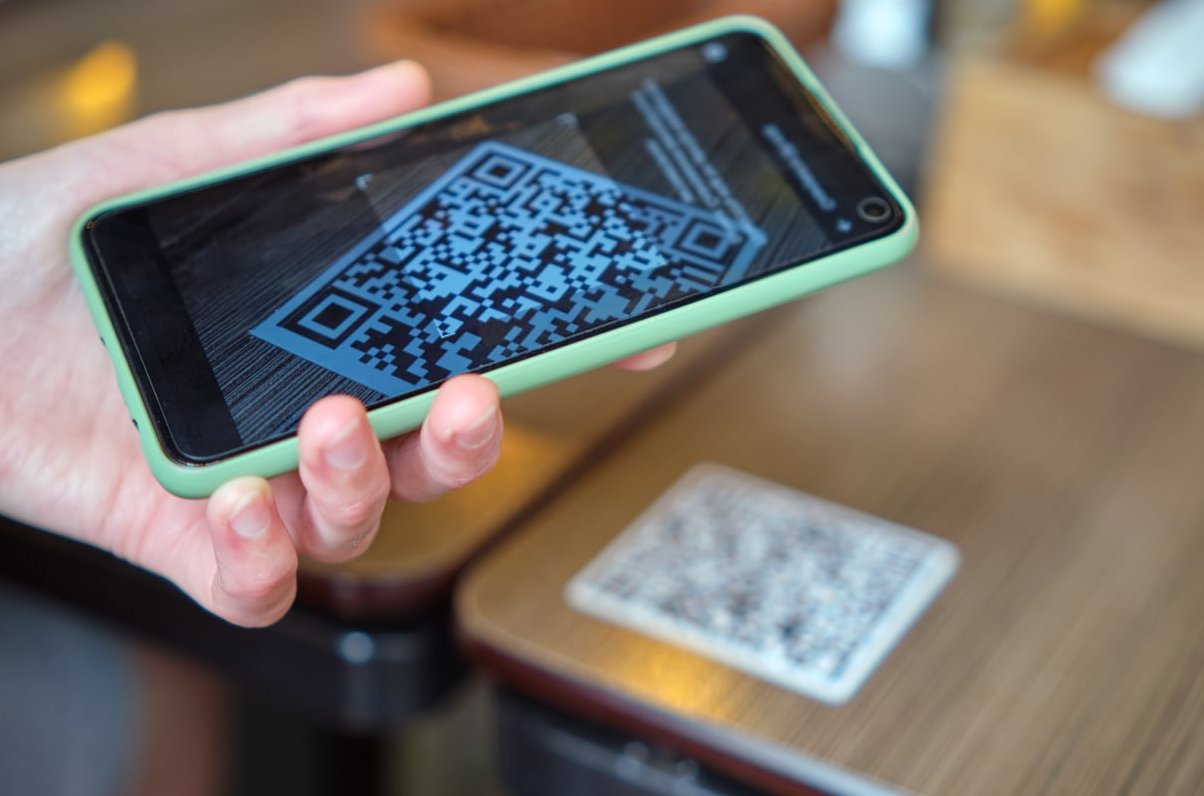
- QR codes: 0.8″ minimum, on a light background, with a reason to scan written next to it (“Scan to see tonight’s dessert board”). A naked QR code gets ignored.
- Add a deadline. “Until 6 pm” or “Thursdays only” outperforms an open-ended offer.
- Keep the bottom 0.5″ of each face light on detail, because glasses, bread baskets and condiment racks block it.
How many table tents do you need, and where do they go?
- One per table, plus 20 % spares for damage and staff assembly mistakes.
- Add units for the bar rail, waiting bench, hostess stand, restrooms and takeaway counter. Those are free impressions.
- For a 30-table restaurant with a bar, order around 50 pieces. Print runs are cheap at that volume; reprinting twice is not.
- Order a hard copy proof for anything over 250 pieces, especially if a food photo carries the design.

Print-ready checklist before you hit send
- Document built at the printer’s flat size, not the finished size.
- 0.125″ bleed on all sides, background extended into it.
- All text inside the 0.25″ safe zone and clear of every score line.
- Second visible face rotated 180 degrees if you are doing a four-panel interlocking tent.
- Images 300 DPI, colours in CMYK, rich black used only for large areas.
- Fonts embedded or converted to outlines.
- Tab and slit area clear of artwork.
- Prices, dates, allergens and phone number proofread by someone who did not design the file.
- Exported as PDF/X-1a with crop marks, and named clearly (for example: TableTent_5x7_Autumn_v3.pdf).
- Stock and coating confirmed in writing with the printer: 16 pt C2S, matte laminated, scored and shipped flat is a solid default order line.
Common mistakes we see in restaurant table tent files
- Designing at 4″ x 6″ when the flat size needed was 4″ x 16.25″, producing a tent with one usable face.
- Placing a logo dead centre on a fold line so it cracks in half at assembly.
- Using an RGB screenshot of a menu as the artwork, then wondering why the text is fuzzy.
- Forgetting that the fourth panel folds under the base and is never seen, so the main offer got printed there.
- Choosing 100 lb text weight instead of cover weight, resulting in tents that collapse after one dinner service.
- No coating on a breakfast-service tent, so it is grease-stained by day three.
FAQ
What is a good size for a table tent?
4″ x 6″ is the best general-purpose size for restaurant tables and bar tops. Move up to 5″ x 7″ when you need a large food photo plus prices, or when tables are wide and guests sit further from the centre. Go to 4″ x 8″ only for high-visibility spots like hostess stands. Getting this on the card is second nature to a working web development studio.
What are the standard sizes for table tent cards?
The standard formats are 4″ x 4″, 4″ x 6″, 4.25″ x 6″, 5″ x 6.5″, 5″ x 7″, 7″ x 5″ landscape and 4″ x 8″. Pyramid tents are usually specified by diagonal instead: 3.4″, 4.25″ and 5″.
What flat size do I design a 4×6 table tent at?
Usually 4″ x 16.25″ for a four-panel interlocking tent, which is four 4″ panels plus a locking tab. Add bleed and your document becomes 4.25″ x 16.5″. Always confirm against your printer’s template, as tab depths differ.
How much bleed does a table tent need?
0.125″ (3 mm) on every side, with a 0.25″ safe margin inside the trim. Keep text at least 0.25″ away from each score line as well. Related reading: How to Design a Table Tent.
Which cardstock weight is best?
14 pt for short promotional runs, 16 pt for tents that stay on tables for a whole season, and synthetic waterproof stock for patios, buffets and poolside service. Add matte lamination so staff can wipe them down.
How do I design table tents if I am not a designer?
Start from the printer’s template at the correct flat size, place one photo and one offer per visible face, keep typography to two fonts, respect the bleed and safe zone, then export a press-ready PDF. If a food photo is doing the selling, invest in the photo before the layout.
How many tables fit in a 20×20 tent?
Different kind of tent, but since it comes up often: a 20 ft x 20 ft (400 sq ft) event tent holds roughly four 60″ round tables seating 32 guests comfortably, or up to five rounds for about 40 guests if you accept tight service aisles. For long rectangular 6 ft tables, expect about five tables and 40 seats. Deduct space for a buffet or DJ.
Need your table tents spec’d and printed right the first time?
At The Crazy Pixel we build table tent artwork directly on press templates, so the flat size, score lines, bleed and tab clearances are correct before anything reaches the printer. Send us your menu and the items you want to push, and we will return a print-ready PDF plus a panel-by-panel upsell layout. Get in touch and we will confirm the exact size and stock that suits your room.
